


Aster Flashlight Launcher
3.635.00 Reviews
App Specs
- Version
- 2.3.1
- Updated On
- License
- Free
- Downloads
- 500,000+
- Developer
- BenAPPmar
- Categories
- Personalization
- Platform
- Android
Screenshots
 Analysis by AppCompare
I judge a flashlight app by what happens when I need light quickly, not by how many modes it can advertise. Aster Flashlight is a personalization app that puts a flashlight and launcher together, with SOS and disco lighting among its advertised functions. That combination gives it a slightly different role from a plain torch utility: it aims to be useful in a pinch and offer a more customized feel at other times. My main reservation is that a flashlight is most valuable when it works immediately, so any extra launcher layer has to earn its place rather than slow down the basic task.
When connectivity enters the picture
I look at connectivity as a practical question rather than a reason to expect extra features: when the beam is needed, can I reach it without detours? I’d test that essential route in familiar surroundings first, then consider whether the launcher arrangement makes it easier to find. That distinction matters more than whether the app’s optional experiences happen to feel richer while connected.
Keep the urgent task simple
A flashlight is often opened in a moment when attention is elsewhere: I might be searching for a dropped item, checking a dark stairwell, or trying to see a lock while holding bags. In those situations, the useful question is not whether an app has a lively interface; it is whether I can reach the light without fumbling. Aster’s focus on instant illumination is appealing, but I would treat the launcher element as an extra to explore after setting up a comfortable way to open it.
Connectivity can shape how an app feels even when its central job is local and immediate. A network connection may affect surrounding app experiences, updates, or content, but I would not assume that every part of Aster works offline or that any particular feature requires the internet. If I were heading somewhere with weak reception, I would test the essential flashlight action beforehand instead of relying on an assumption made at the door.
The SOS option also deserves practical expectations. A flashing pattern can be a visual signal, but it is not the same as contacting emergency services or sharing a location. I would use it only as a signal where a visible light is appropriate, and I would keep my phone’s ordinary emergency and calling options in mind. That distinction matters most when the app’s name or mode might make a user expect more than a light pattern.
Launcher convenience versus another step
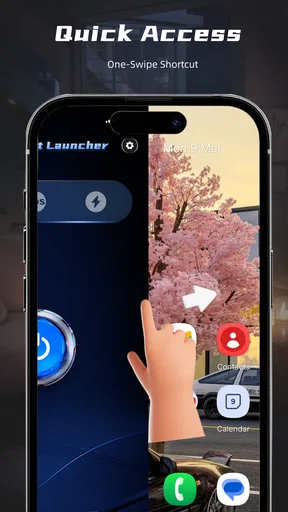
The launcher angle could suit someone who likes a more tailored home-screen routine, but it is not automatically an advantage for every phone. If I already have a dependable flashlight shortcut in quick settings, opening a separate app may be slower for everyday use. I would compare the actual taps needed on my device: one quick-settings swipe may beat launching Aster, while a familiar home-screen placement could make the app convenient for someone who prefers direct access.
That trade-off is especially noticeable when the phone is locked or being used with one hand. A setting that looks convenient in a relaxed setup can be awkward when I am outdoors, wearing gloves, or balancing something in my other hand. Before making it part of my routine, I would try the route I expect to use most and make sure I can recognize the controls at a glance.
Worth Reading Before You Choose

EA SPORTS FC Mobile 26 Is a Bigger Football Game, but It Takes Time

Flipboard Shows What News Apps Must Do Beyond the Feed

Switching to Android Auto Means Rethinking Your Driving Routine

Google Calendar Makes a Crowded Week Easier to Manage

Ludo King Makes the Most of the Minutes Between Plans

Baby Panda World Brings Quick Play to Modern Phones, but Its Game Library Feels Busy
How it fits into real mobile routines
Aster is easiest to judge in the situations where a phone light earns its place: arriving home with full hands, checking a dark cupboard, or briefly lighting a path. I’d set up access around the way I actually hold and unlock my phone, rather than assume one launcher layout suits every routine. Next, I’d consider what to do if that convenient route is unavailable at the wrong moment.
Useful moments beyond a dark room
A realistic use case is arriving home after sunset with shopping in hand. I need enough light to find keys, read the lock, and avoid dropping anything; I do not need to switch through decorative options first. For that routine, the best approach is to place access to the ordinary beam where it is easy to reach and treat SOS or disco mode as occasional alternatives rather than the default.
Another good fit is a quick check in a cupboard, car boot, or dim corner where carrying a separate torch would be overkill. A phone flashlight is already in a pocket, and the app’s added modes can make it more versatile than a bare toggle. Still, a phone is not a replacement for a proper torch on a long walk or during work that needs sustained, directed lighting. I would not choose an app as my only light source where battery reserve and dependable hardware matter.
The disco mode is a different kind of use, and I see it as an optional novelty rather than a reason to install a utility. It may be welcome for a casual moment or playful setting, but flashing lights are not appropriate everywhere and can be uncomfortable for some people. I would avoid using it around anyone who may be sensitive to flashing, and I would not activate it in public simply because it is available.
Different expectations from basic alternatives
Compared with the built-in flashlight controls on many phones, Aster offers a more app-centered experience and extra modes. The built-in control usually wins on simplicity: it is already part of the device interface and does not ask me to adopt another launcher routine. Aster makes more sense if I specifically want its combination of light, SOS, and decorative flashing, or if I prefer a dedicated app rather than a quick-settings tile.
It is also different from a feature-rich flashlight utility that emphasizes adjustable beams, timers, or other specialized tools. I would not infer that Aster has those functions. Its appeal is the stated blend of flashlight and launcher features, not an exhaustive toolkit. If I only need a reliable beam, the standard phone control may be enough; if I want the additional modes, this app gives me a reason to try a separate option.
One useful way to decide is to ask what I would actually use weekly. If the answer is only “turn on the light,” a built-in shortcut is likely less cluttered. If I expect to use SOS signaling or enjoy the extra presentation, Aster’s wider set of functions may justify keeping it. That small self-check helps avoid installing a personalization tool and then discovering that its extras never enter my routine.
What to expect when things go wrong
I prefer to decide on a fallback before relying on any app for a quick task. If the light does not respond, the phone’s built-in flashlight control is the sensible next stop; if the whole phone is low on charge, a separate torch is more dependable. That small bit of preparation keeps troubleshooting from turning into a search through settings when I should be paying attention to my surroundings.
Plan for the phone, not just the app
Flashlight reliability depends on more than the app’s screen. The phone needs available battery, and the camera flash hardware must be accessible to the software. If the light does not turn on, I would first check that the phone’s own flashlight control is not already active, close and reopen the app, and try the system control as a fallback. That is a sensible recovery path for any phone flashlight app, rather than evidence that a particular failure is common here.
If a launcher change makes the phone feel less familiar, I would avoid making several home-screen changes at once. Try Aster’s access route on its own, learn where the basic light control sits, and only then decide whether the launcher aspect improves the experience. This makes it easier to undo a change if it adds friction, and it prevents a useful emergency tool from becoming hard to find.
In a genuinely urgent situation, I would not spend time troubleshooting a decorative mode or searching through app menus. Use the quickest available phone control, ask someone nearby for help, or use a separate light if one is within reach. The app is a convenience, not a substitute for emergency services, a charged phone, or a backup plan in demanding conditions.
Be deliberate with flashing signals
SOS and disco-style flashing are not interchangeable. A signal intended to attract attention should be used thoughtfully, while a party-style effect can be distracting or disruptive in the wrong setting. I would test the controls somewhere safe and quiet so I know what each mode does before depending on it. I would also avoid pointing a flashing light toward drivers or anyone who could be affected by flicker.
There is a practical battery trade-off too: using a phone’s light consumes power, and an extended light session can leave less charge for calls, maps, or messages. I cannot put a precise runtime on that, since it depends on the handset and how it is used. My rule would be to switch the light off as soon as I am done and keep a separate torch for situations where illumination will be needed for a long stretch.
Choosing it with connectivity and privacy in mind
A flashlight’s immediate job does not answer every question about how an app behaves online, so I’d keep setup choices deliberate. I’d review prompts individually, use the phone’s privacy controls when I want to limit background activity, and avoid sharing information unrelated to lighting or personalization. With that mindset, I can weigh the convenience of Aster’s extra modes against the simpler built-in option.
Use a cautious setup routine
Because Aster combines a flashlight with launcher behavior, I would pay attention during installation and setup rather than tapping through automatically. Review each request in context, and allow only what makes sense for the function I want. I would not grant access simply because a prompt appears; if a request does not seem necessary to the task I am trying to use, pause and check the phone’s app controls before proceeding.
For data-conscious use, I would also look at the device’s available privacy and network settings instead of assuming that a utility never communicates online. The fact that a flashlight can illuminate a room does not by itself establish how every surrounding app feature behaves. I would keep that distinction clear and avoid entering sensitive information into a tool whose purpose is lighting and personalization.
If connectivity is limited, my practical test would be simple: set up the app while I have a stable connection, then check the flashlight route in the kind of place where I expect to need it. I would not rely on that test as proof that every feature works without a network; it only tells me whether my essential routine is dependable on my own device. That is more useful than discovering a problem in a dark parking area.
Who should try it—and who should skip it
Aster Flashlight is free, and its Everyone age rating makes it broadly suitable in content terms. BenAPPmar is the developer. The app has a 3.6 average from around 1.2 thousand ratings, with roughly 35 written reviews, and it has passed 500 thousand installs. Those figures suggest that it has found an audience, but they do not tell me whether its controls will suit a particular handset or personal routine.
The app is currently at version 2.3.1, and it was released on March 10, 2026. It requires Android 12 or later, so anyone with an older Android device should not expect to install this version. iPhone users should also check the platform’s own store rather than assume that an Android release means the same app is available on iOS.
I would recommend giving it a try if you want a dedicated flashlight app with SOS and a playful lighting option, and you are comfortable testing the launcher component before making it part of your daily setup. I would skip it if you want nothing beyond the fastest possible torch toggle, dislike launcher changes, or need a specialist flashlight for long outdoor use. In those cases, the built-in control or a physical torch is a more straightforward fit.
My connectivity verdict
My verdict is that connectivity should be a secondary consideration here: the deciding test is whether the basic light is easy to reach on your own phone. I’d try that route before depending on it, keep the native control in mind, and treat SOS and disco lighting as situational extras. If the launcher adds friction instead of saving a step, the simpler alternative is the better fit.
A useful extra, provided the basic light stays easy to reach
For me, Aster’s strongest idea is combining a practical light with a few more expressive options, while its main question is whether the launcher side makes access simpler or adds another step. Connectivity is not the feature I would choose it for, and I would not make assumptions about offline behavior; I would test the core action in my own setting and keep the phone’s native flashlight as a fallback.
If the light is easy to reach on your device and the extra modes appeal to you, the app is worth trying as a free personalization option. If a built-in shortcut already solves the problem, there is no need to replace a routine that works. I’d make the decision based on one real test—turning on the beam when my hands are busy—not on how many modes sound appealing in theory.
Pros
- Quickly turns the flashlight on from the launcher interface.
- Combines flashlight access with a lightweight home-screen utility.
- Useful for finding your way in dark rooms or outdoors.
- Simple controls make the main function easy to learn.
- Can be handy when you need light without opening a separate app.
Cons
- Flashlight availability depends on your device’s camera hardware.
- Leaving the light on can drain battery and cause the phone to warm up.
- Launcher features may require changing your default home app.
- Flashlight brightness may not be adjustable on every device.
- The app may request permissions that some users prefer to limit.
FAQs for Aster Flashlight Launcher
What is Aster Flashlight Launcher, and what does it do?
Aster Flashlight Launcher is an Android app that combines flashlight access with launcher-style features. Depending on the version and device, it may provide a quick way to turn the torch on or off and offer shortcuts or interface options associated with launching apps. Check the current Play Store listing for the exact feature set, since features can change between releases and may not be available on every device.
Does Aster Flashlight Launcher work on iPhone or iPad?
Aster Flashlight Launcher appears to be intended for Android, so it may not be available for iPhone or iPad. iOS also restricts how third-party apps can control the flashlight and replace or modify the home-screen launcher. Before downloading, confirm that the app is listed in the official store for your device and check its compatibility details rather than relying on third-party download pages.
What permissions might Aster Flashlight Launcher request, and are they necessary?
A flashlight app commonly needs camera-related permission to control the device’s torch, while launcher features may request other access depending on how they work. Review each permission prompt and the app’s privacy information before granting access. If a request seems unrelated to the features you plan to use, do not approve it until you understand why it is needed; permission availability can vary by Android version and device.
Is Aster Flashlight Launcher safe to download, and how can I check?
For the safest installation, look for Aster Flashlight Launcher in the official Google Play Store and verify the developer name, recent update history, user reviews, and privacy disclosures. Avoid modified APK files or unfamiliar download sites, which may carry security risks. No app can be guaranteed safe solely from its name, so check the permissions it requests and use your device’s built-in security protections.
Will Aster Flashlight Launcher work on my phone, and could it affect battery life?
Compatibility depends on your Android version, device hardware, and whether the phone exposes its camera flash for app control. Check the store listing for supported versions and requirements, then test the app briefly after installation. Using the flashlight consumes power, particularly when left on, while background activity may also affect battery life. Turn the torch off when finished and review battery usage if you notice unusual drain.


